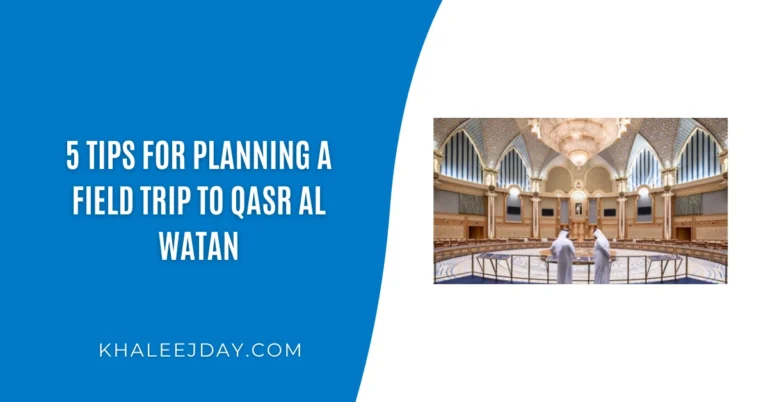
Complete Guide On Hafilat Balance and Fines Check
If you commute on Abu Dhabi’s public buses, two things matter above everything else: knowing how much credit you have on your card before you board, and knowing whether you have any outstanding fines that could get your card suspended. A simple hafilat balance check takes less than a minute. Checking your fines takes slightly longer but both are far easier in 2026 than most people realize, with multiple official channels available online, on mobile, and in person. This complete guide covers everything in one place: how to check your Hafilat card balance through every available method, how to check and pay your Hafilat fines online and offline, what the most common violations are and how much they cost, and exactly what happens if fines go unpaid. Whether you are a daily commuter, a student, or a visitor to Abu Dhabi, this is the only guide you need.
Understanding the Hafilat Card System
Before diving into balance and fine checks, it helps to understand what the Hafilat card is and how it works because the rules of the system are what determine when fines are issued.
The Hafilat Card is a contactless smart card used to pay for bus tickets or fares in Abu Dhabi. It uses AFC (Automated Fare Collection) technology to store credit and monthly passes, similar to Dubai’s NOL card or Qatar’s Karwa Smart Card.
The Abu Dhabi bus fare is calculated using a zone-based system. Abu Dhabi is divided into travel zones, and the fare depends on the number of zones crossed during a journey. The minimum fare is AED 2 for one zone. The fare is deducted automatically when you tap your card at the start and end of your journey.
Transfers between buses are free within 60 minutes, provided you don’t switch to a different type of service. This is an important rule that many passengers overlook and getting it wrong can lead to unexpected deductions or violations.
Part 1: How to Check Your Hafilat Card Balance
There are six reliable methods for checking your Hafilat card balance in 2026 three online and three offline. All balance check methods are completely free of charge.
Method 1: Official Darb Portal (hafilat.darb.ae)
The official Darb portal is the primary platform for all Hafilat card services, including balance checks, recharges, and fine payments.
Step-by-step:
- Open your browser and go to hafilat.darb.ae
- Click the menu icon at the top-left of the page
- Navigate to Public Transport → Hafilat Cards → Online Services → Recharge Card
- Enter your full 16-digit card serial number exactly as it appears on the back of your Hafilat card
- Click OK your current balance, card expiry date, and recent transaction history will appear immediately
Once you click on the OK button, your available balance will be shown, and from the same page or tab, you can recharge your Hafilat card as well.
Security reminder: Before entering any card details, verify that the page shows a padlock icon in the address bar confirming you are on the secure, official HTTPS portal.
Method 2: Darb Mobile App
The Darb app offers the most convenient way to check your Hafilat balance on the go. Add your Hafilat card by tapping “My Cards” and entering your 15-digit card number. Your current balance, transaction history, and card expiry date display on the dashboard. Enable notifications to get alerts when your balance drops below AED 10.
The app is available on both the Apple App Store and Google Play Store. Search for “Darb Abu Dhabi” and ensure you download the official version. You can log in using UAE PASS or a registered username and password.
Method 3: PayIt App
The PayIt mobile app provides a simple step-by-step guide to check the Hafilat balance. Open the PayIt app, tap UAE Bills & Recharge on the dashboard, select Public Transport, and click on Hafilat Card Balance and Recharge. Add your card using the 16-digit serial number and save the details. When you select a linked card, PayIt displays your current balance, expiry date, and recent transaction history.
Method 4: SMS to 3009
Type BAL followed by a space and your 16-digit Hafilat card serial number and send the message to 3009. You should get an SMS reply showing your current balance in AED and expiry or date information. Use your registered mobile number to send the SMS message.
Example message format: BAL 1234567890123456
This method requires no internet and works on all UAE networks both e& (Etisalat) and du.
Method 5: USSD Code *163#
For users without internet access, the USSD code *163# provides an instant balance check via SMS/USSD menu. This method works on all mobile networks in the UAE. Open your phone dialer and type *163#, then press the call button. A USSD menu will appear on screen. Select the option for “Check Hafilat Card Balance.” When prompted, enter your Hafilat card number and confirm. Your current balance will be sent to your mobile number via SMS within 10 to 30 seconds.
Method 6: Ticket Vending Machines and Bus Validators
Most Abu Dhabi bus stations have balance inquiry machines. Simply tap your card to see the balance. When you tap your card to board the bus, the reader often displays your current balance.
TVMs are available at major bus terminals across Abu Dhabi and Al Ain, including Abu Dhabi Central Bus Station, Al Wahda Bus Station, and Mussafah Bus Station.
Quick Reference: All Balance Check Methods
| Method | Internet Needed | App Needed | Speed |
| Darb Portal (hafilat.darb.ae) | Yes | No | Instant |
| Darb Mobile App | Yes | Yes | Instant |
| PayIt App | Yes | Yes | Instant |
| SMS to 3009 | No | No | Under 1 minute |
| USSD *163# | No | No | Under 30 seconds |
| TVM / Bus Validator | No | No | Instant (on-site) |
Part 2: Understanding Hafilat Fines
The Hafilat system is strictly enforced. Fines for fare evasion or misuse of Hafilat cards are strictly enforced in Abu Dhabi. These include forgetting to tap, using an expired card, or riding without enough balance. Repeat offenses may even lead to card suspension.
What Actions Trigger a Fine?
Abu Dhabi’s Hafilat card system enforces travel rules to ensure fairness and safety on public buses. Fines may be applied if passengers do not comply with regulations. Common violations include: failure to tap out not tapping your card when exiting a bus may result in the maximum fare being charged; misuse of a personalized card sharing a card linked to your Emirates ID or using someone else’s card is prohibited; and violating bus travel rules this includes boarding without sufficient balance, traveling in restricted areas, or other misuse.
In addition, you cannot travel on any bus in Abu Dhabi without a bus card. If you are caught doing so, you could face a fine of AED 200.
Fine Amounts at a Glance
| Violation | Consequence |
| Traveling without a Hafilat card | AED 200 fine |
| Fare evasion | AED 200 fine |
| Forgetting to tap out | Maximum fare charged for the route |
| Misuse of a personalized card | Fine and possible card suspension |
| Repeat violations | Card suspension |
What Happens If a Fine Goes Unpaid?
If Abu Dhabi bus fines are not paid within 30 days, they will accrue interest and late payment fees. Additionally, your Hafilat card can be suspended, preventing you from using public transportation services.
A suspended card means you cannot board any Abu Dhabi public bus until the fine is settled and the suspension is lifted which makes prompt payment not just a financial issue, but a practical one.
Part 3: How to Check Your Hafilat Fines
Checking your outstanding Hafilat fines is straightforward and can be done online or in person.
Method 1: Via the Darb Portal
Log in to the Darb portal using your Emirates ID-linked account or registered mobile number. Check fines under the “Balance & Fines” or “Card Details” section to see outstanding penalties.
Step-by-step:
- Go to haflatbalanccheck.ae and log in using your UAE PASS or registered account credentials
- Navigate to the “Public Transport Fines” section from the main menu
- Enter your Emirates ID or Hafilat card serial number when prompted
- Your outstanding fines if any will be listed with the fine amount, violation type, date, and a fine barcode number
Method 2: Via the Darb Mobile App
- Open the Darb app and log in
- Navigate to the “My Cards” section and select your linked Hafilat card
- Look for the “Fines” or “Balance & Fines” tab within the card details screen
- Any outstanding fines will appear with full details including the violation date and the amount due
Method 3: At a Customer Service Center
Visit any Hafilat Customer Happiness Centre at a major Abu Dhabi bus terminal and present your Hafilat card to the staff. They can check your fine status immediately and assist you with payment on the spot.
Part 4: How to Pay Your Hafilat Fines
Once you have confirmed you have an outstanding fine, settling it promptly is critical to avoid card suspension and additional late fees. Here are all the ways to pay.
Pay Online via the Darb Portal
You can pay a bus ticket fine in Abu Dhabi through the Hafilat website. Log in to your account using your registered email address and password. After logging in, click on the “Pay Fine” button. Enter the “Fine Barcode” found at the bottom of your fine receipt. Add your payment or card details and pay the fine.
Pay fines using a valid debit or credit card. The portal supports multiple secure payment options. Receive confirmation for your payment, which updates your card status immediately.
Important: Always take a screenshot or save the payment receipt after completing your transaction. This serves as proof of payment in case any dispute arises later.
Pay via the Darb Mobile App
- Open the Darb app and navigate to the fines section
- Select the outstanding fine you wish to pay
- Enter the fine barcode if required
- Choose your payment method credit/debit card or linked payment option
- Confirm the transaction and save the confirmation screen
Pay at a Customer Service Center (Offline)
Visit any Hafilat Customer Happiness Centre at the following locations (among others):
- Abu Dhabi Central Bus Station (main city terminal)
- Al Wahda Bus Station
- Mussafah Bus Station
- Al Ain Bus Terminal
Bring your physical Hafilat card and, if available, the fine notice or receipt. Staff will verify the outstanding fine and process your payment by cash or card.
Pay at a Ticket Vending Machine (TVM)
Some TVMs at major bus terminals have fine payment functionality. Insert your Hafilat card, select the fine payment option from the menu, follow the on-screen instructions, and pay by card or cash.
Part 5: Disputing a Hafilat Fine
If you believe a fine was issued in error for example, if you tapped out correctly but the system failed to register it you have the right to dispute it through official channels.
If you’re fined and believe it was a mistake, you can file a complaint through ITC’s official channels. Attach proof, including your card’s serial number and transaction history.
How to file a dispute:
- Log in to the Darb portal or visit a Customer Happiness Centre in person
- Navigate to the complaints or disputes section
- Provide your Hafilat card serial number, the date of the alleged violation, and a description of what happened
- Attach any supporting evidence screenshots from the Darb app, transaction history printouts, or photos taken at the bus stop
- Submit the complaint and retain the complaint reference number for follow-up
Disputes are reviewed by the ITC (Integrated Transport Centre). You will be notified of the outcome through your registered contact details. If the fine is upheld and you disagree with the decision, escalate through the Department of Municipalities and Transport’s (DMT) official complaint channels.
Part 6: How to Recharge After Checking Your Balance
If a balance check reveals your card is running low, topping up immediately ensures you never face a rejected tap at the validator. Here are the fastest recharge options in 2026.
Online Recharge via Darb Portal
- Go to haflatbalanccheck.ae and enter your 16-digit serial number
- Select your desired top-up amount minimum AED 10, maximum AED 150, in increments of AED 5
- Complete payment using credit/debit card, Apple Pay, or Samsung Pay
- After an online recharge, it may take 15 to 30 minutes for the balance to reflect on the bus card reader. Recharge at least an hour before your journey.
Instant Recharge at a TVM
For immediate balance updates, visit a Ticket Vending Machine at your nearest bus station. Tap your card on any bus validator or TVM machine this forces the balance to update instantly.
Recharge via Darb App or PayIt
Both apps allow online top-ups within minutes. Select your card, choose the amount, and pay using your preferred digital wallet or card. Balance typically reflects in 2 to 5 minutes on the app, and within 15 to 30 minutes on physical validators.
Recharge at Authorized Retailers
Lulu Hypermarkets, Al Ain Cooperative Societies, and other authorized outlets across Abu Dhabi can recharge your Hafilat card over the counter. Present your card, state your desired top-up amount, and pay by cash or card.
Essential Tips to Avoid Fines Altogether
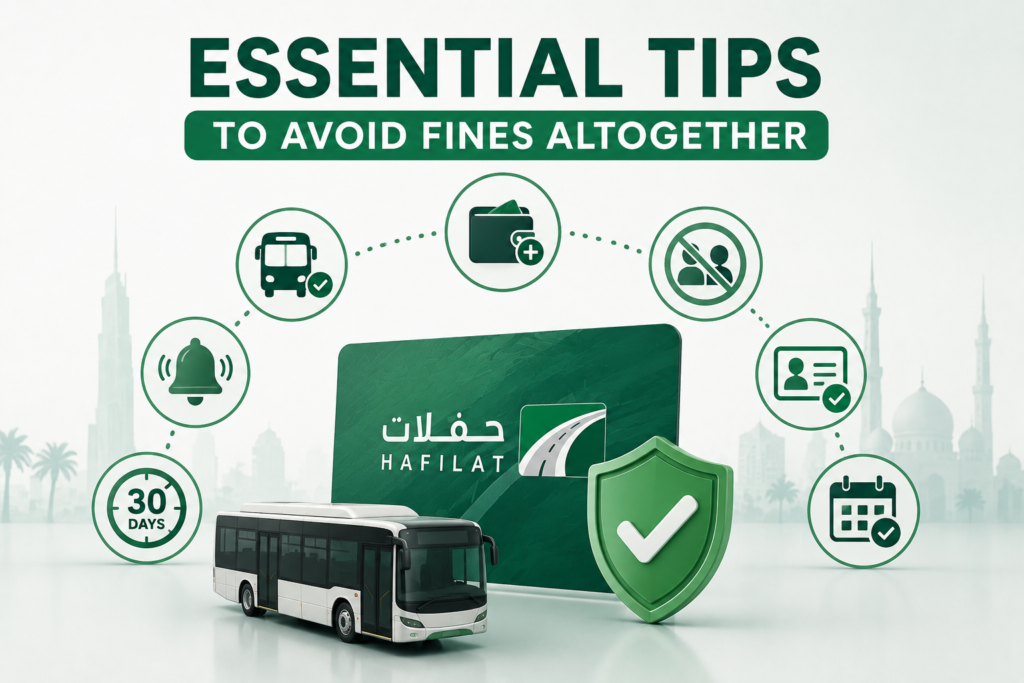
Prevention is always better than paying a fine. If you regularly do a hafilat recharge check online, these habits will keep your Hafilat card clean, active, and fully functional at all times.
Always tap out when exiting the bus. Failure to tap out will lead to the automatic deduction of the full amount of the bus journey upon next use. Make tapping out as automatic as tapping in it is the single most common cause of unexpected charges and disputes.
Maintain a minimum balance of AED 10 to 20 at all times. Check your balance before boarding. Ensure you have at least the minimum required credit before boarding. If your balance is below the minimum, the system will reject your card. Keeping a comfortable buffer prevents last-minute recharge emergencies.
Never share your personalized Hafilat card. Sharing a card linked to your Emirates ID or using someone else’s card is prohibited. Violations of this rule can result in both a fine and permanent card suspension.
Enable balance alerts on the Darb app. Setting a low balance notification at AED 15 or AED 20 gives you advance warning before the card drops to a critically low level without needing to manually check every day.
Register your card with your Emirates ID. Registered cards allow you to recover your balance if the card is lost or damaged, access full transaction history for dispute purposes, and receive notifications about fine issues directly to your contact details.
Settle fines within 30 days. If Abu Dhabi bus fines are not paid within 30 days, they will accrue interest and late payment fees, and your Hafilat card can be suspended. Set a reminder to check and clear any fines regularly at least once a month.
Frequently Asked Questions
Is there a fee for checking my Hafilat balance or fines?
No. All balance check methods including the Darb app, SMS to 3009, USSD *163#, and the Darb portal are completely free. Checking your fines online is also free.
Can I check my fines without logging in?
You can view outstanding fines using your card serial number or Emirates ID on the Darb portal without a full account login. However, paying fines online requires account access.
What if I forgot to tap out but did not intend to evade the fare?
If you forget to tap out, the system will charge you the maximum possible fare for that route. This is not classified as a formal fine but as an automatic fare adjustment. However, if it happens repeatedly, it may trigger a violation flag on your account. Contact ITC customer support to dispute if you believe the charge was applied incorrectly.
Can tourists get fines on Hafilat visitor cards?
Yes. All passengers, residents and tourists alike are subject to the same transport rules and fine structure. Tourist visitor cards are anonymous, so fines on these cards may not be linked to personal identity, but repeated violations can still result in the card being blocked.
How do I know if my card has been suspended?
A suspended card will be rejected at the bus validator with a red light and a declined beep.
Can I pay my fine at a Lulu Hypermarket or other retailer?
No. Authorized retailers like Lulu Hypermarket are only set up for card recharging, not fine payment. Fines must be paid through the Darb portal, the Darb app, a TVM with fine payment functionality, or directly at a Customer Happiness Centre.
Final Thoughts
Managing your Hafilat card well comes down to two simple habits: check your balance regularly, and pay any fines immediately. Both tasks take a matter of minutes in 2026, thanks to the robust digital infrastructure that Abu Dhabi Mobility has put in place around the Hafilat system. The Darb portal and Darb app give you a complete view of your card balance, transaction history, and fine status all in one place. The SMS and USSD methods provide offline backup for when you’re on the move without data. And the network of Customer Happiness Centres ensures that even users who prefer face-to-face assistance are never left without support. Stay on top of your balance, tap in and tap out on every journey, and keep your fines cleared and your Hafilat card will never stand between you and a smooth, stress-free commute across Abu Dhabi.