How To Recharge Your Nol Card In Dubai
If you live in Dubai or visit often, your Nol card is almost as important as your wallet. You use it for the Metro, Tram, buses, some taxis, marine transport, and even RTA parking. When the balance runs low at the wrong time, it can waste a lot of time at the station.
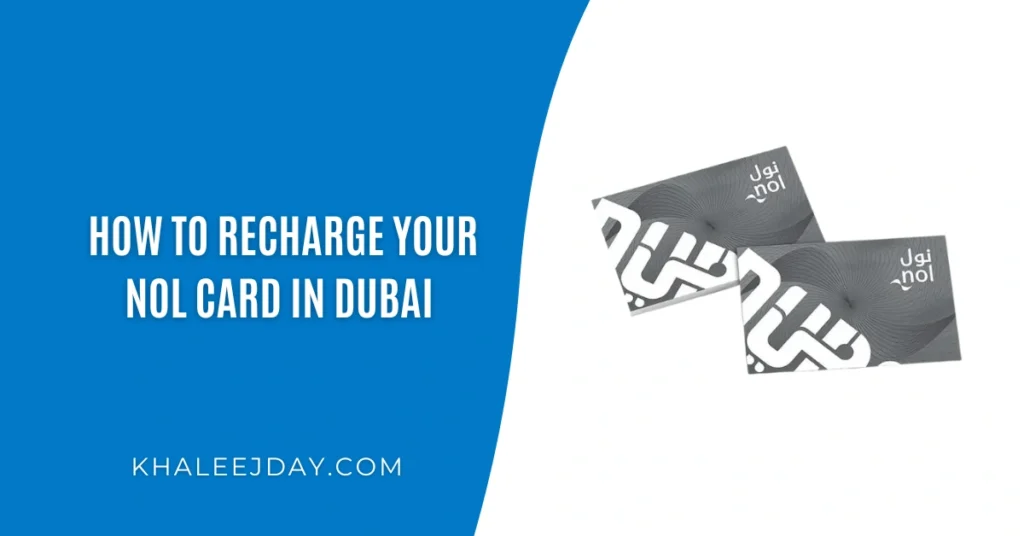
Below is a clear, practical guide on how to recharge your Nol card through all the main methods: apps, website, machines, and in person.
Quick Nol Card Basics
A Nol card is a smart travel card issued by Dubai’s Roads and Transport Authority (RTA). You tap it on gates or readers to pay for trips and services.
The main Nol card types you can recharge are:
- Silver Nol Card for regular commuters
- Gold Nol Card if you travel in Metro Gold Class
- Blue (Personal) Nol Card which is registered in your name and allows higher balance and protection if lost
Red tickets are disposable and more limited, but the recharging logic is similar in machines.
The recharge methods below work for Silver, Gold and Personal Nol cards. Dont forget to confirm the nol balance recharge by checking Nol card balance.
1. Recharging With The Nol Pay App
For most people with an NFC phone, Nol Pay is the easiest and fastest way to top up. You can use it with a physical card or a virtual Nol card stored in your phone.
First, install Nol Pay from your app store and sign in with your UAE Pass or RTA account. Then follow these steps for a physical card:
- Open the Nol Pay app on your phone.
- Tap the option to Top up.
- Place your Nol card on the NFC area at the back of your phone.
- Select the amount you want to add.
- Pay using your debit or credit card inside the app.
- When payment is approved, keep the card on the phone again so the new balance is written to the card.
For a virtual Nol card inside your phone wallet, the process is even simpler. You choose the card, pick the amount and pay. The balance appears almost instantly without any extra tap at gates or machines.
This method is ideal if you want:
- Instant recharges
- No need to stand at a ticket machine
- Everything stored on your phone with receipts and history
2. Recharging Through The RTA Dubai App Or S’hail
If you already use RTA Dubai or S’hail to plan trips, you can recharge your Nol card from there too.
The key difference is that here you usually enter your Nol Tag ID (the number on the back of your card) instead of using NFC.
Using the RTA Dubai app
- Open the RTA Dubai app and log in with UAE Pass.
- Go to the public transport section and choose Top Up Nol Card.
- Enter or select your Nol Tag ID.
- Choose the recharge amount.
- Pay by card or via supported mobile wallets.
Using the S’hail app
- Open S’hail on your phone.
- Look for the Top Up Nol Card service.
- Enter your Nol Tag ID.
- Check the current balance, select the amount and pay.
With Tag ID methods, there is one important detail. The online top up is not active on your physical card until the system syncs and you tap to collect:
- After payment, wait around 45 minutes up to 4 hours.
- Then tap your Nol card at any Metro gate, parking machine, solar top up machine or use NFC activation through Nol Pay.
Only after that tap will the new balance show on the card.
3. Recharging On The RTA Website
If you prefer a laptop or desktop, you can recharge through the official RTA website.
The process is similar to the apps that use Tag ID:
- Visit the Nol top up service page on rta.ae.
- Log in with your UAE Pass or continue as a guest if allowed.
- Enter your Nol Tag ID and check that the card shown is correct.
- Select the amount you want to add.
- Pay using a debit or credit card.
Again, this is an online top up, so the balance becomes usable only after:
- Waiting for the system to process the payment, usually under a few hours.
- Tapping your card at a Metro gate, parking meter, solar top up machine, or using Nol Pay NFC activation.
If you often top up from a work computer or home PC, this method is convenient and easy to track for budgeting.
4. Recharging At Ticket Machines And Solar Top Up Machines
If you are already at a station or bus stop, ticket machines are usually the quickest.
At ticket vending machines in Metro or Tram stations:
- Place your Nol card on the card area of the machine.
- Choose the Top Up option on the screen.
- Select the amount you want.
- Pay using cash or card, depending on the specific machine.
- Keep the card on the reader until the machine confirms the top up.
At solar top up machines at some bus stops, the steps are similar but often cash only. You place your card, choose the amount, insert cash, and the balance updates right away.
Machines are best when you are already travelling and need an instant top up before catching the next train or bus.
5. Recharging At Ticket Offices And Authorised Agents
If you are not comfortable with machines or apps, you can still top up directly with a person.
You can do this at:
- Ticket counters inside Metro stations
- RTA authorised sales agents and some retail outlets
Just give your Nol card to the staff member, tell them the amount you want to add, and pay by cash or card depending on the location. They will process the top up and hand the card back with the amount already added.
This method is simple and good if you want someone to handle everything for you.
6. Recharging Through UAE Bank Apps
Some local banks integrate Nol recharge inside their mobile banking apps. Common examples include NBAD, Emirates Islamic and ADCB.
The exact steps differ by bank, but usually you:
- Open your banking app.
- Look for services like RTA, Nol top up or transport services.
- Enter your Nol Tag ID.
- Choose the amount and pay from your account or card.
This is treated like an online top up. So you still need to tap your card later at a Metro gate, parking machine, solar top up machine, or activate it using Nol Pay NFC after some processing time.
If you like everything linked to your bank and prefer not to enter card details in multiple apps, this method fits well into your routine.
7. Limits, Timing And Practical Tips
There are a few rules and best practices to keep in mind when you recharge your Nol card.
In general:
- Anonymous Nol cards have a lower maximum balance limit than registered (personal) cards.
- Personal Nol cards can usually hold a higher total balance, and it is easier to recover funds if you lose the card.
- Many online top ups have per-transaction limits, often around the low hundreds of dirhams.
Useful habits:
- Check your balance before peak travel times so you do not queue at machines.
- Keep your card on the reader until the screen clearly confirms success. Removing it early can cancel the top up.
Always keep digital or physical receipts for larger top ups in case you ever need to contact RTA support.
Final Thoughts
Once you understand the different options, keeping your Nol card recharged is easy:
- Use Nol Pay for fast NFC top ups directly from your phone.
- Use RTA Dubai, S’hail or the RTA website when planning ahead from home or office.
- Use ticket machines, solar top up machines and ticket offices when you are already on the move.
- Use bank apps if you want everything tied to your everyday banking.
With a bit of planning, you can avoid sudden low balance surprises, keep your trips smooth, and move around Dubai without ever worrying at the gate.