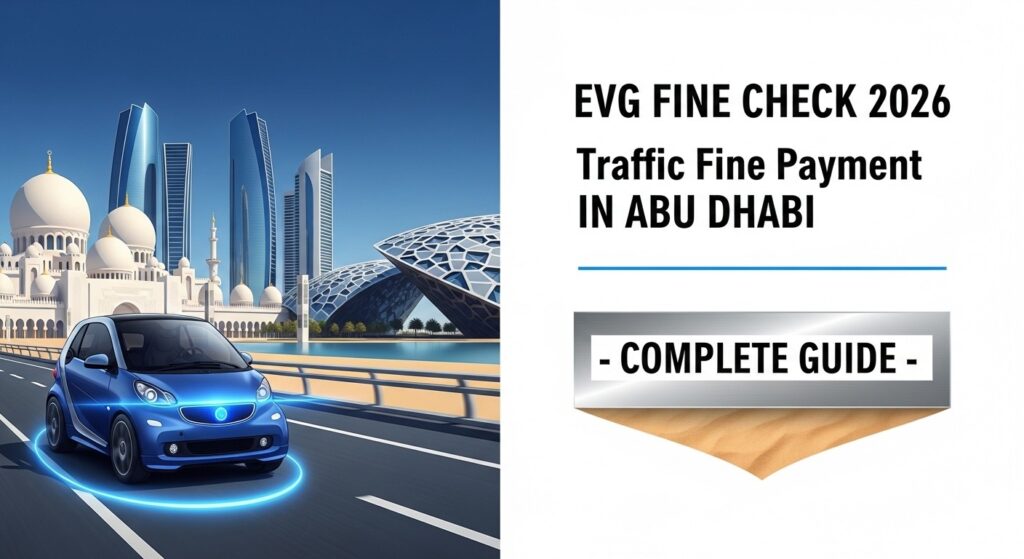
EVG Fine Check 2026: Traffic Fine Payment in Abu Dhabi – Complete Guide
Abu Dhabi traffic fines. Different systems. Different rules. Many drivers get confused. Some think EVG does not work for Abu Dhabi. Others think only Tamm works. Here is the truth. EVG works for Abu Dhabi fines, too. But not in the same way as other emirates. This guide explains everything. How to check. How to pay. When to use EVG. When to use other systems.
Connection between EVG and Abu Dhabi:
EVG stands for Emirates Vehicle Gate. Most people associate it with Sharjah, Ajman, RAK, Fujairah, and Umm Al Quwain. But EVG also connects to Abu Dhabi fines. Just differently. Abu Dhabi has its own main system. Tamm app. Abu Dhabi Police portal. However, EVG pulls data from Abu Dhabi. So fines from Abu Dhabi can appear on EVG, too. But here is the catch. Not all Abu Dhabi fines show on EVG. Some only appear on the Tamm or Abu Dhabi Police portals.
The safest approach? Check both systems.
What Information Is Needed?
Get these ready before starting:
- Vehicle plate number (code, letters, digits)
- Emirates ID (for some methods)
- Traffic file number (helpful but not required)
- Credit or debit card for payment
Abu Dhabi plates have a different format. Code is usually “A” or “M” for Abu Dhabi city and suburbs.
Double-check the plate code. Wrong code means no results.
How to Check Fines Using EVG
EVG can show Abu Dhabi fines. Follow these steps.
Step-by-Step Process
- Step 1: Open the official EVG portal. Look for the .ae domain.
- Step 2: Select Abu Dhabi as the emirate.
- Step 3: Perform an EVG fine check in Abu Dhabi using the plate number or Emirates ID.
- Step 4: Enter plate details. Code first. Then letters. Then numbers.
- Step 5: Complete the captcha.
- Step 6: Click search.
What the Results Show
If fines exist in the shared database, they appear. Fine amount. Date. Violation type. Location. Status. But here is the important part. Not every Abu Dhabi fine appears here.
Some fines only show on Tamm. Some are only on the Abu Dhabi Police portal.
What to Do If No Fines Show
No fines on EVG? Does not mean no fines exist.
Check the Tamm app. Check the Abu Dhabi Police portal. Fines may be there.
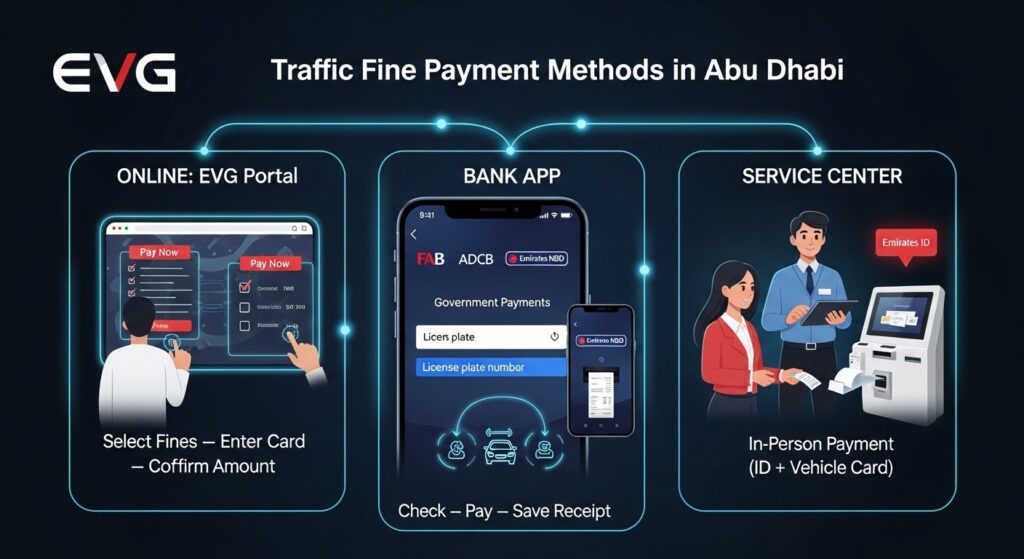
How to Pay Fines Using EVG
Found a fine on EVG? Payment is straightforward.
Online Payment Through EVG Portal
- Step 1: Select fines to pay.
- Step 2: Click “Pay Now.”
- Step 3: Choose a credit card or debit card.
- Step 4: Enter card details on the secure page.
- Step 5: Confirm the amount.
- Step 6: Save receipt.
Confirmation arrives via SMS and email. Fine status updates within 24 to 48 hours.
Payment Through Bank Apps
Major UAE banks connect to EVG. Emirates NBD. ADCB. FAB. Mashreq. DIB.
- Step 1: Open the banking app.
- Step 2: Go to “Government Payments.”
- Step 3: Select “Traffic Fines.”
- Step 4: Choose the Abu Dhabi or EVG option.
- Step 5: Enter plate number or Emirates ID.
- Step 6: View fines. Pay. Save receipt.
Payment at Service Centers
Prefer in person? Service centers across Abu Dhabi.
Bring your Emirates ID and vehicle registration card. Agent checks the system. Pay by cash, card, or cheque. Get a printed receipt.
Discounts on Abu Dhabi Fines
Good news. Abu Dhabi offers early payment discounts.
How Much Discount?
Up to 35% on some fines.
Minor violations get higher discounts. Serious violations get none.
Time Window
Typically, 30 days from the fine date.
Pay within 30 days. Get the discount.
Pay after 30 days. Full amount. No discount.
How to Check for Discounts
Check the fine on the EVG, Tamm, or Abu Dhabi Police portal.
The discounted amount shows automatically if available.
Do not guess. Do not ask friends. Check the official system.
Which Fines Qualify?
- Speeding (minor to moderate)
- Parking violations
- Registration expired
- Salik related (in Abu Dhabi)
Which Fines Do Not Qualify?
- Running a red light
- Reckless driving
- Driving under influence
- Causing an accident
- Driving without a license
Common Mistakes to Avoid
Avoid these errors. Each one wastes time and money.
Mistake 1: Checking Only EVG
EVG does not show all Abu Dhabi fines. Check Tamm and Abu Dhabi Police too.
Mistake 2: Wrong Plate Code
Abu Dhabi plates use “A” or “M”. Using “D” for Dubai returns nothing.
Mistake 3: Waiting Too Long for a Discount
The discount window closes. Full amount applies. Pay early.
Mistake 4: Ignoring Tamm App
Tamm is Abu Dhabi’s official app. It shows fines EVG might miss.
Mistake 5: Paying Without Checking the Discount
Always check if the discount applies. Paying the full amount when a discount exists? Wasted money.
Mistake 6: Using Unofficial Websites
Third-party sites charge extra fees. Stick to EVG, Tamm, or official bank apps.
What If No Fines Appear on EVG?
No fines showing. Several possibilities.
Reason 1: Fines Are Not in the Shared Database
Some Abu Dhabi fines never reach EVG. They stay within the Tamm and Abu Dhabi Police systems.
Reason 2: Wrong Plate Details
Check plate code. Check letters. Check numbers. One error breaks the search.
Reason 3: No Fines Exist
Good news. No fines at all.
What to Do
Download the Tamm app. Register with Emirates ID. Check for fines there.
Also, check the Abu Dhabi Police website.
If both show zero, no fines exist.
EVG vs Tamm vs Abu Dhabi Police: Which to Use?
Three systems. Different purposes.
EVG
Good for drivers who already use EVG for other emirates. Shows some Abu Dhabi fines. Not all.
Best for: Quick check alongside other emirates.
Tamm App
Abu Dhabi’s unified government app. Shows all Abu Dhabi fines. Also shows vehicle registration status, driving license expiry, and other services.
Best for: Complete Abu Dhabi fine checking.
Abu Dhabi Police Portal
Official police website. Shows all fines. Also allows disputes and inquiries.
Best for: Official verification and disputes.
Recommendation
Check all three. Start with Tamm. Then EVG. Then Abu Dhabi Police.
Leaving out one system means missing fines.
Tamm App: Quick Guide
Since EVG does not show all Abu Dhabi fines, Tamm is essential.
How to Download and Register
- Step 1: Download the Tamm app from the Apple Store or Google Play.
- Step 2: Register using your Emirates ID and mobile number.
- Step 3: Complete verification. OTP arrives via SMS.
- Step 4: Log in.
- Step 5: Go to the “Traffic Fines” section.
- Step 6: Enter plate number or Emirates ID.
- Step 7: View all fines.
Tamm Features
- Fine checking and payment
- Vehicle registration renewal
- Driving license renewal
- Vehicle inspection booking
- Digital registration card
Tamm is the official Abu Dhabi system. Do not skip it.
Frequently Asked Questions
Q1: Does EVG show all Abu Dhabi traffic fines?
No. Some fines only appear on the Tamm or Abu Dhabi Police portal.
Q2: How to perform an EVG fine check in Abu Dhabi?
Open EVG portal. Select Abu Dhabi as emirate. Enter plate number or Emirates ID. Click search.
Q3: What is the discount on Abu Dhabi fines?
Up to 35% for early payment within 30 days.
Q4: Is the Tamm app mandatory for Abu Dhabi fines?
Not mandatory but highly recommended. It shows fines EVG might miss.
Q5: Can Abu Dhabi fines be paid through bank apps?
Yes. Major UAE banks support Abu Dhabi fine payments.
Conclusion
Abu Dhabi traffic fines. EVG helps. But EVG is not the complete answer. Use EVG for a quick check. But also use the Tamm app and Abu Dhabi Police portal. Perform an EVG fine check Abu Dhabi to see shared fines. Then verify on Tamm. Early payment discounts exist. Up to 35%. Pay within 30 days. Check all three systems. Do not rely on just one. Pay early. Save money. Avoid late penalties. Tamm is the safest bet for Abu Dhabi. Download it. Register. Check regularly. Stay fine-free. Drive carefully.